









Setting up a dedicated charging station for your devices can bring order to the chaos of cables and outlets. Whether at home or in an office, a charging station helps keep your phones, tablets, laptops, and other gadgets powered and organized in one convenient location. This guide will walk you through the steps to create a functional and tidy charging station tailored to your needs.
Why Create a Charging Station?
Before diving into the how, consider the benefits of having a charging station:
– Organization: No more tangled cables or hunting for chargers.
– Efficiency: Charge multiple devices simultaneously.
– Safety: Reduce tripping hazards and protect chargers from damage.
– Aesthetics: Keep your space looking clean and neat.
Step 1: Choose the Right Location
Start by selecting an ideal spot for your charging station. Here are some factors to consider:
– Accessibility: Pick a location where you usually use or store your devices, such as a desk, nightstand, or kitchen counter.
– Power source: Ensure there’s a nearby power outlet or a convenient way to plug in power strips.
– Space: The area should be spacious enough to accommodate your devices and chargers comfortably.
Step 2: Gather the Necessary Supplies
Once you’ve chosen a location, gather the materials you’ll need to set up your charging station:
– Charging cables: Use high-quality cables compatible with your devices.
– Power strip or USB charging hub: Select one with enough outlets and USB ports to handle all devices.
– Cable organizers: Clips, ties, or sleeves help keep cables neat and untangled.
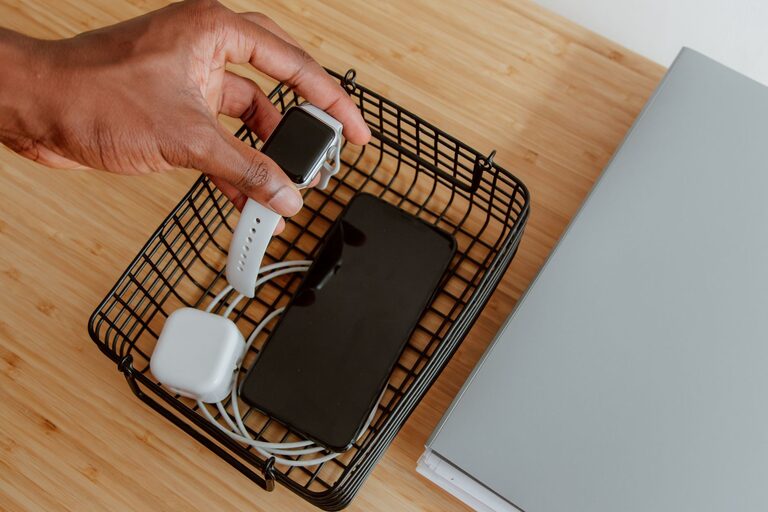
– Containers or stands: Small trays, baskets, or dedicated stands can hold devices upright and organized.
– Labeling supplies (optional): Stickers or tags to identify cables and chargers, especially useful if multiple people use the station.
Step 3: Organize Your Cables
Tangled cables are a common frustration. Here’s how to manage them effectively:
– Sort cables by type and length: Group similar cables together.
– Use cable clips or ties: Secure cables along the back or underside of your desk or charging area.
– Label each cable: This saves time when connecting devices.
– Consider cable sleeves: These bundle multiple cables neatly and protect them.
Step 4: Set Up Power Sources Smartly
Power strips and USB hubs are the heart of your charging station:
– Choose a surge protector: Protect your devices from power spikes.
– Select a USB charging hub: If you have many USB-powered devices, a hub with multiple ports is convenient.
– Mount power strips if possible: Attach them under your desk or inside a cabinet to reduce clutter.
– Avoid overloading outlets: Follow the manufacturer’s guidelines for safe use.
Step 5: Arrange Devices Neatly
How you arrange devices can improve both function and appearance:
– Use stands or docks: They keep devices upright and easy to access.
– Group similar devices: Place phones together, tablets in another spot.
– Keep larger devices toward the back: Smaller devices can go in front for easy reach.
– Ensure good ventilation: Avoid stacking devices to prevent overheating.
Step 6: Maintain Your Charging Station
A charging station works best when kept tidy. Try these habits:
– Regularly check cables for wear: Replace damaged cables promptly.
– Dust the area: Dust can accumulate on devices and chargers.
– Unplug devices when fully charged: This saves energy and extends battery life.
– Update chargers as needed: Newer chargers may be more efficient or faster.
Additional Tips for a Better Charging Station
– Use wireless chargers: If your devices support wireless charging, consider including wireless charging pads for a cable-free option.
– Decorate your station: Add personal touches like small plants or decorative containers to make it inviting.
– Consider portability: If needed, use a box or caddy for easy movement around your space.
– Plan for future devices: Choose power strips and hubs with extra capacity to accommodate new gadgets.
Conclusion
Creating a dedicated charging station is a practical way to keep all your devices powered, organized, and easy to find. By choosing the right location, organizing cables, using efficient power sources, and maintaining the setup, you can enjoy a clutter-free and efficient charging experience every day. Whether for your home or office, this simple project will make managing your devices much easier and more pleasant.