










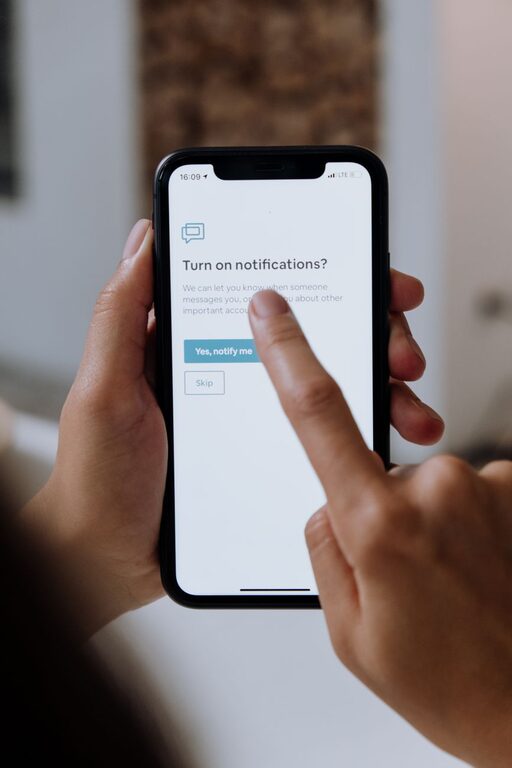
In today’s digital world, staying connected often means dealing with a constant flow of notifications. While these alerts can be useful, they often become overwhelming and interrupt important tasks or personal time. Setting boundaries with notifications is essential for maintaining focus, reducing stress, and improving overall well-being.
In this post, we’ll explore practical tips to help you take control of your notifications without feeling disconnected.
Why Setting Boundaries with Notifications Matters
Notifications are designed to grab your attention, but when they overrun your day, they can hurt productivity and mental health. Constant interruptions can:
– Break your concentration and increase the time needed to complete tasks
– Cause stress or anxiety from feeling “on call” all the time
– Reduce the quality of your downtime and personal relationships
By setting clear boundaries, you can enjoy the benefits of notifications without letting them control your daily routine.
Tips for Managing and Setting Boundaries with Notifications
1. Review and Prioritize Your Notifications
Start by auditing which apps and services send you notifications. Ask yourself:
– Which notifications are truly important or urgent?
– Which ones can wait until you check them voluntarily?
Many apps allow you to customize notification settings, so disable alerts for less important apps or switch to “silent” notifications you can view later.
2. Use “Do Not Disturb” or Focus Modes
Most smartphones and computers offer “Do Not Disturb” or Focus modes that silence notifications for set periods.
– Use these features during work hours or personal time to maintain uninterrupted focus.
– You can often whitelist important contacts or apps so urgent alerts still come through.
Setting a schedule for these modes helps create predictable times without distractions.
3. Limit Notification Hours
Decide on specific times when you will check notifications, such as during breaks or after work.
– Avoid checking alerts first thing in the morning or right before bed.
– This reduces stress and helps you wind down if you avoid late-night notifications.
Some devices allow you to schedule quiet hours or bedtime modes to automate this.
4. Turn Off Non-Essential Sounds and Badges
Notification sounds and app icon badges can be especially distracting.
– Switch off sounds for apps that don’t need immediate attention.
– Consider disabling badge alerts that show the number of unread messages, which can create a sense of urgency.
This simple change reduces the “ping” or visual prompts that pull you away from other tasks.
5. Batch Your Notification Checks
Instead of responding immediately, check notifications in batches at designated times.
– Set alarms or reminders to review messages a few times a day.
– This approach reduces the habit of frequent phone checking and helps you stay focused.
Batching helps you balance responsiveness with controlled attention.
6. Customize Notification Settings Per App
Dive into each app’s notification preferences:
– Choose between banners, alerts, or no pop-ups.
– Allow notifications only for direct messages or important updates instead of all activity.
– If available, use summary features that group notifications for later viewing.
Customizing ensures you get notified only when necessary and in a way that suits your workflow.
7. Communicate Your Boundaries to Others
Let friends, family, and coworkers know your notification preferences and availability.
– Set expectations about when you respond to messages or calls.
– Use away messages or status indicators on communication apps to signal when you’re busy.
Clear communication helps others respect your boundaries and reduces pressure to reply immediately.
8. Regularly Reassess Your Settings
Technology and priorities change, so revisit your notification settings periodically.
– Remove alerts for apps or services you no longer use.
– Adjust preferences based on your evolving work, social, and personal needs.
Keeping your notification habits up to date ensures your system remains effective over time.
Bonus: Tools That Help You Manage Notifications
Several apps and built-in tools help create and enforce notification boundaries:
– Focus Assist on Windows and macOS Focus modes help limit interruptions.
– Screen Time (iOS) and Digital Wellbeing (Android) track and control app usage.
– Third-party apps like Forest or Freedom encourage focused time by blocking distracting notifications.
Using these tools can support your efforts to manage notifications effectively.
Conclusion
Notifications aren’t going away anytime soon—but you can decide how they fit into your life. By setting clear boundaries, prioritizing alerts, scheduling focused time, and communicating your needs, you can take back control of your attention.
Try implementing some of these tips today to create a healthier, more productive relationship with your devices. You might be surprised how much calmer and more focused you feel!